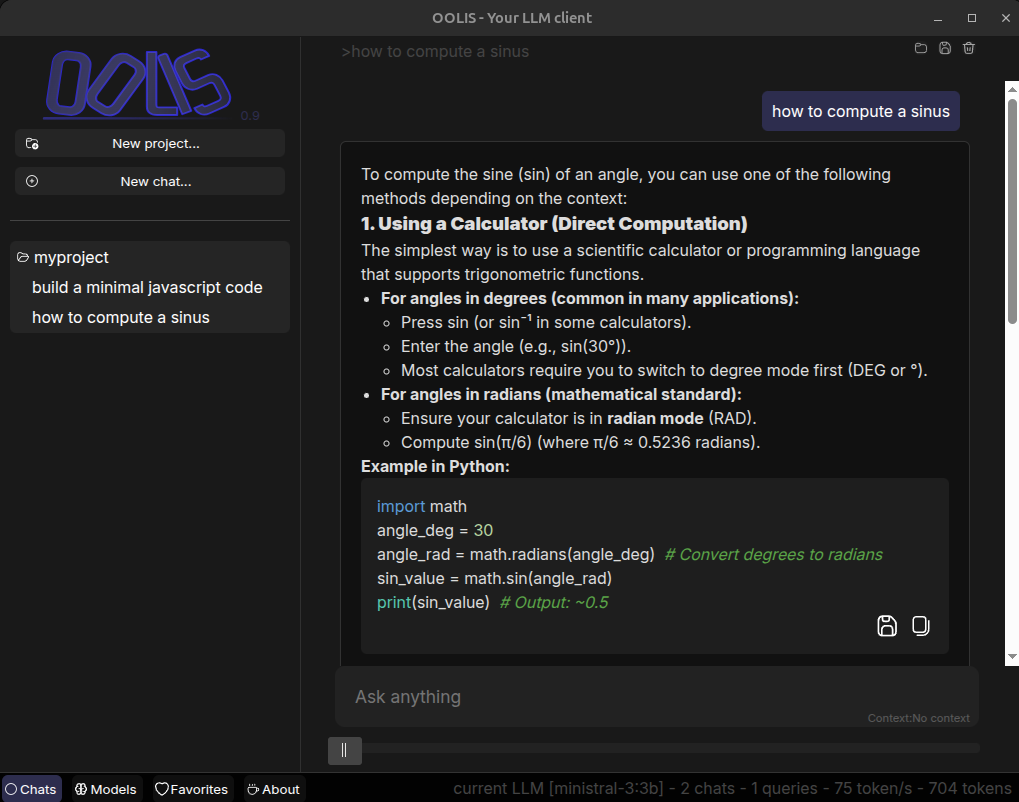
OOLIS is a 100% offline LLM desktop client, giving you full control over your data and independence from third-party platforms.
https://www.oolis.fr
By default, OOLIS supports multiple providers:
It provides simple project management and flexible model configuration. You can create as many projects as you want and assign different models to each one.
For example, you may use one model specialized for coding tasks and another one for casual conversations.
You can also easily save and retrieve your favorite prompts and responses.
Oolis is a cross-platform desktop LLM client built with Electron.
Platform Support :
Clone the repository
  git clone https://github.com/AlexandreBrillant/oolis.git
  cd oolis
Make sure you have Node.js on your machine.
Install dependencies
npm installThen you can run with
npm run oolisThe first step is choosing your LLM models.
You have both local models (Ollama) and cloud models (Ollama cloud,openai,anthropic…).
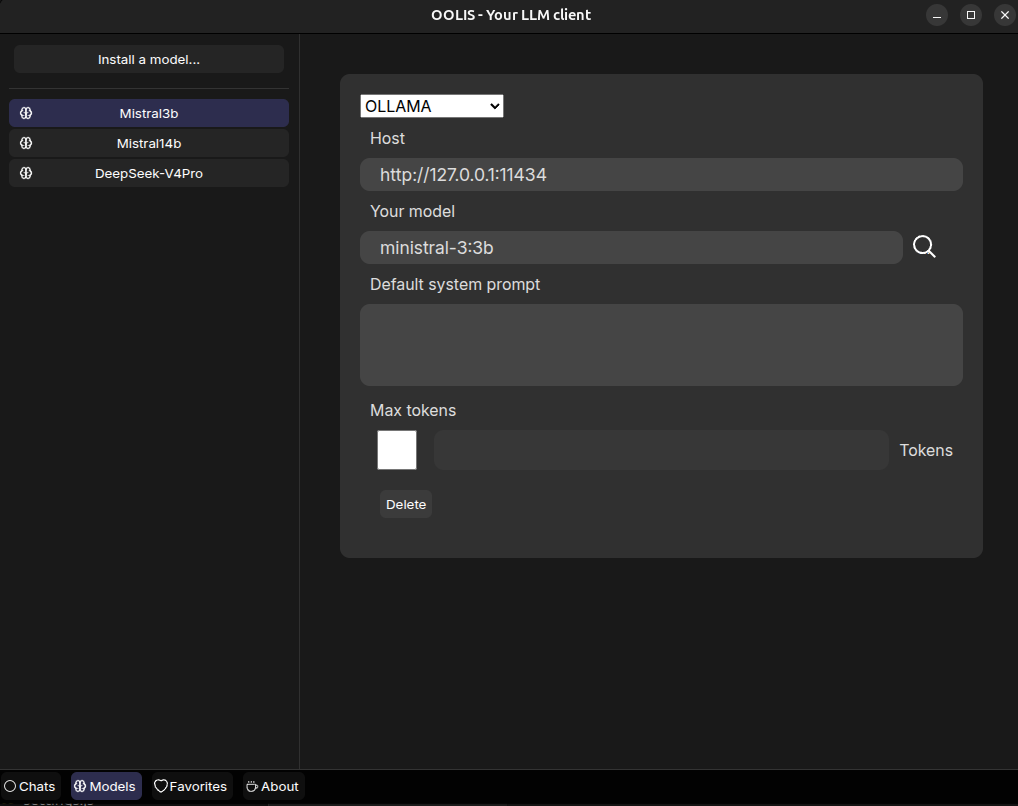
You can add the same provider multiple times with different models.
You may use a fast 3B model for quick tasks and a larger 14B model for more advanced requests.
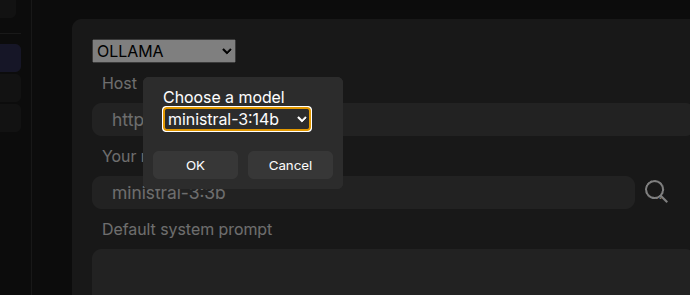
Click next to the “magnifying glass icon” to open the model selection popup.
If you don’t have any models with Ollama,you can download one using the command line. For example, to install the ministral-3:3b model.
ollama pull ministral-3:3bBrowser available models on the ollama page.
For cloud providers, you will need to provide your API key.
Click next to the “magnifying glass icon” to open the model selection popup.
For example, OLLAMA Cloud offers free usage (2 hours/day) and allows access to very large models such as 671B parameter models, which can be useful for complex prompts.
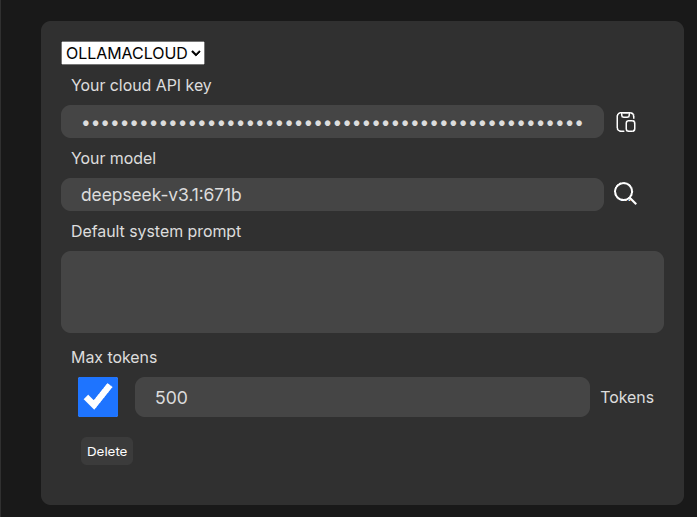
If you use a paid provider, you can limit the size of each response using the “Max Tokens” field.
You can also define a default system prompt such as “Be concise” to improve response quality.
The currently selected model becomes the default model used by projects unless a specific model is assigned.
It is recommended to start by creating a project.
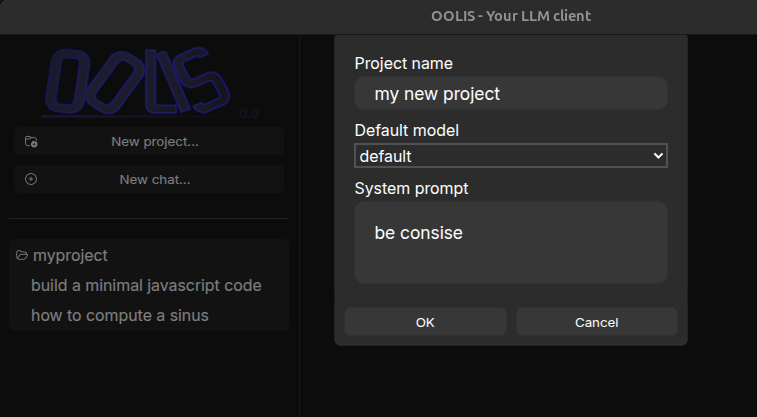
A project is a collection of chats. It has a name and appears on the left side of the interface.
Each project can use its own model configuration. If no specific model is selected, the default model is used.
You can update project settings at any time using the top-right icon. You can also delete a project.
By default, each chat is limited to 20 messages. You can change this value in: src/config/oolis.json using the maxItems property
When the limit is reached, the oldest non-favorite message is automatically removed.
You can save the current chat using the floppy disk icon in the top-right corner.
While generating a response, you can stop generation by clicking the stop button next to the prompt field or by pressing the Escape key.
For each response, you can save either the full response or only a specific code block (for example, JavaScript code).
You can also asking for the same query if you didn’t like the response. Thus if your project use the default model, you may also change the model with the same prompt.
You can also copy, cut, and manage both prompts and responses.
One of the most useful features of OOLIS is context management.
The goal is to provide precise control over your resources.
Context represents the memory of your conversation. A larger context increases both performance cost and API usage cost.
OOLIS provides a slider at the bottom of the interface so you can adjust context size at any time.
The default context uses the last 2 prompts, meaning the LLM only remembers your last 2 query/response pairs.

Available context modes:
For each response, OOLIS displays generation speed (tokens/second) as well as the total number of tokens used.
You also get a complete summary in the status bar.

When you mark a prompt or response as favorite, it becomes available in the Favorites tab.
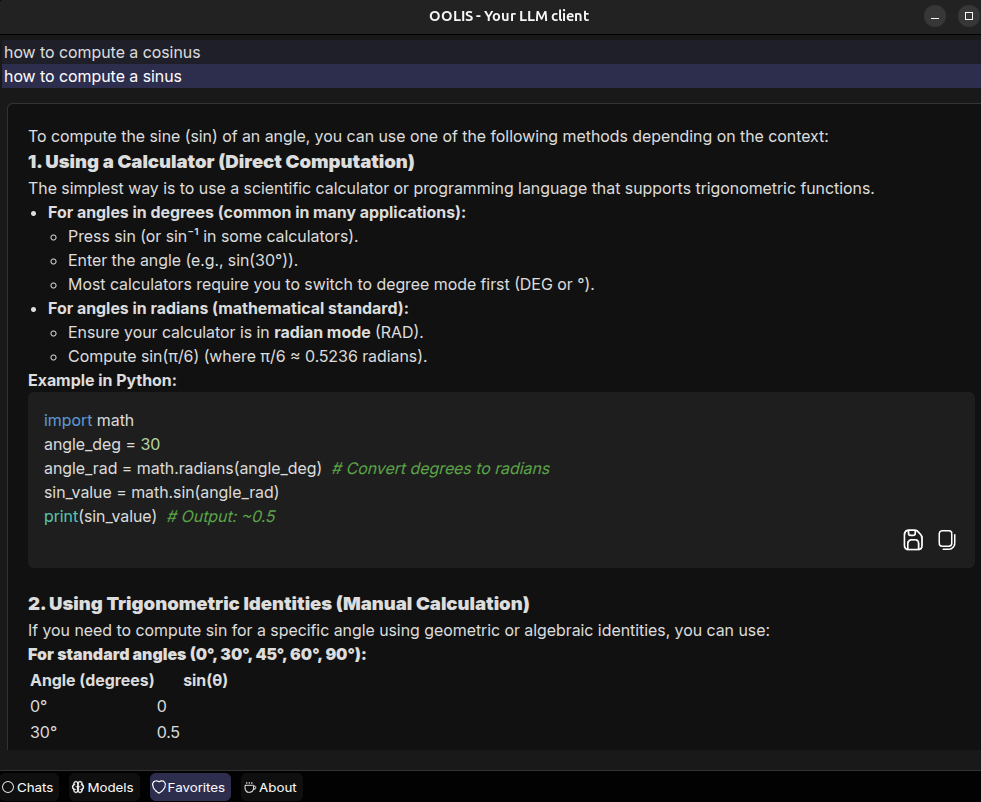
You can unselect it, copy it, or save it.
Deletion must be done from the Chats tab.
OOLIS is built using :
All your data is stored in the local “Your Home”/.config/oolis/state folder.
I built OOLIS for several reasons :
Want a feature, a collaboration, or to work with me on OOLIS? You can contact me on my professional web site.
OOLIS is open source under GPLv3 license.. If you need a commercial license without the GPL constraints, feel free to contact me.